
Quote the Work. Show the Result.
Prepare a private proposal, share when ready, and keep the delivery record together.
Workflow Step Quote
Quote the Requested Work
Generate the work, timing, assumptions, exclusions, and price in a private business proposal.
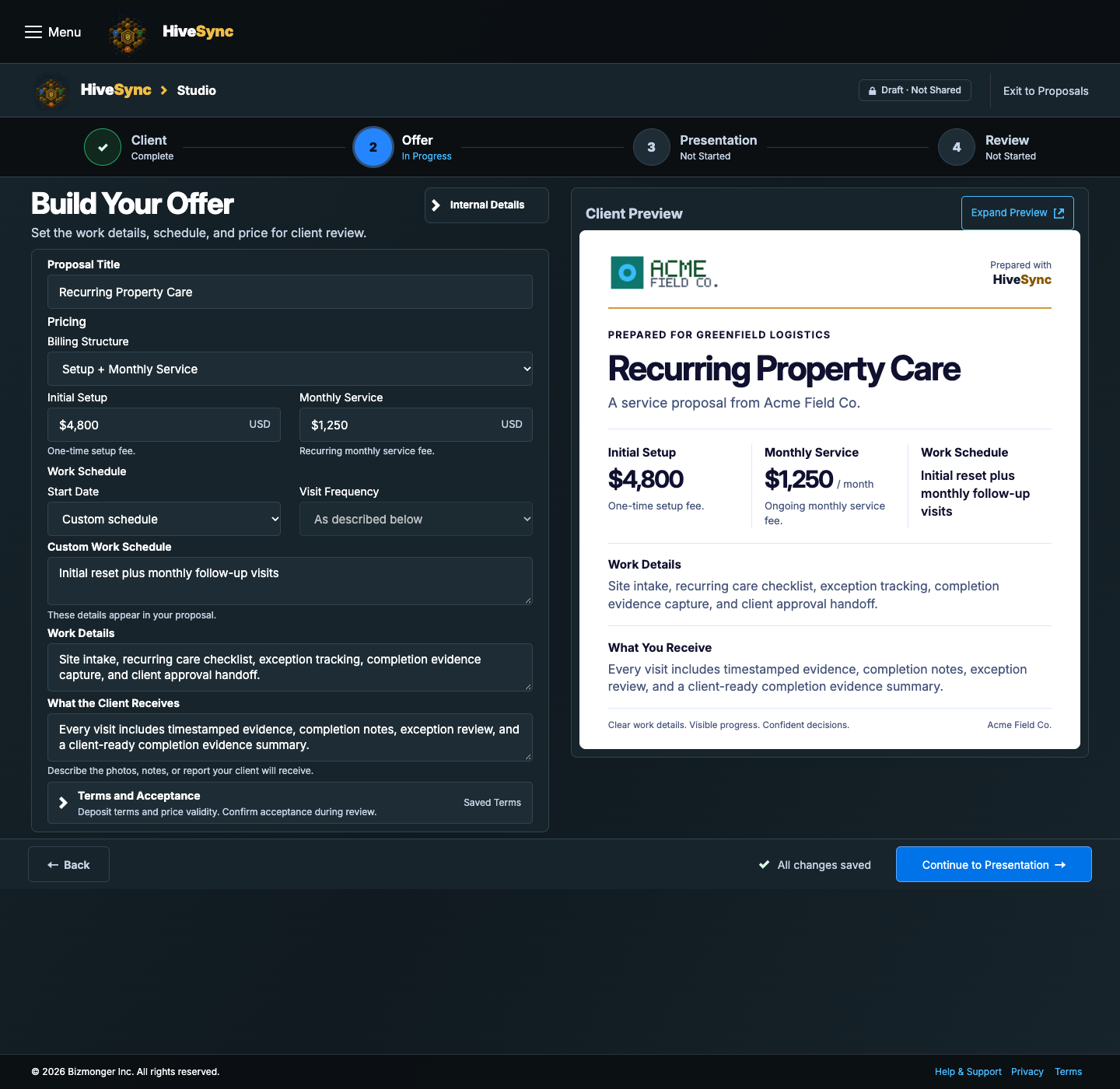
Separate illustrative task examples.
Explore Service Provider ToolsComplySync · RecurSync · FleetSync · TeamSync · Provider Network
Find the Tool for Your Next Job
Explore the examples without an account or payment. Start with what you need to do; you do not need every product.
Track provider compliance.
Included With HiveSync Team · Annual per Paid User
View ComplySync Pricing and AccessTry the Document Review SampleAccess and Limits
ComplySync must be available for your organization, and your account must have an authorized management role. Buying Team alone does not guarantee ComplySync access. ComplySync does not certify insurance. Expanded credentials, automatic SMS and public certification are not included.

Plan recurring service visits.
Separate Monthly Subscription · Included and Additional Operators
View RecurSync Pricing and AccessAccess and Limits
An operator is a named person doing recurring work. Operator places belong to the RecurSync subscription and are separate from Team paid users. Organization owners select the named operators before checkout. Access requires current authorization and payment confirmation.

Plan daily stops.
Included With HiveSync Team · Annual per Paid User
View FleetSync Pricing and AccessAccess and Limits
Current organization, role, seat and feature access are required. Route optimization, live ETAs and travel tracking are not included.

Assign work and coordinate handoffs.
Included With HiveSync Team · Annual per Paid User
View TeamSync Pricing and AccessTry the Team Assignment SampleAccess and Limits
HiveSync Team is the subscription; TeamSync is included. Each person using the shared workspace needs their own paid account and an authorized organization role.
Service Provider Network
Describe your services, explore eligible project requests, and prepare private proposals for client work.
Profile and market eligibility apply
How the Provider Network Works
- Set up your provider profile and service area.
- Review available requests and their requirements.
- Prepare a proposal, agree on the work, then follow the assigned workflow.
Availability depends on your trade, market, and current account access. Purchasing a plan does not guarantee leads, verification, or client acceptance.
Sign In to Set Up My Provider ProfileFrom Exploring to Your First Job
- Try the work. Explore an example above, or preview a service visit below. Samples do not create client records or completion evidence.
- Choose the tools you need. Team covers shared work and eligible FleetSync and ComplySync access. RecurSync is a separate monthly subscription. A solo owner may still need Team for those tools.
- Review and purchase. Compare the current price, paid users, and access conditions. Sign in, review the exact offer, then continue to Stripe checkout. You can return to your comparison before paying.
- Set up one real job. After payment and access are confirmed, open the relevant workspace, add your own work, and assign its owner. For field work, install HiveSync on Android, follow the assigned steps, then review saved evidence and exceptions on the web.
Signing in or buying a plan does not create a schedule, invite a teammate, or complete a job.
More Ways to Get Started
Questions and Capabilities
Can I respond to a client's RFP?
The page is designed around that journey: receive clear requirements, clarify them, then prepare a private response and proposal.
Does creating a quote publish it?
No. A quote remains a private draft until an authorized user explicitly sends it.
Do I have to become a marketplace creator?
No. Service-provider workflows and creator publishing are separate. A provider can quote and deliver work without opening a creator storefront.
Which plan fits a small crew?
Pro is the solo starting point. Team is the natural fit when several people need shared ownership, handoffs, and reporting.
What You Can Do Today
HiveSync organizes requirements, proposals, assignments, evidence, and reports. It does not certify quality, guarantee a client decision, or replace professional judgment.
- A proposal remains private until the provider chooses SMS or another available channel.
- The rich preview contains no private proposal, address, agreement, client, evidence, or bearer-capability details.
- Saving a quote does not accept work or charge the client.
- Publishing and earning from Blueprints require a separate creator review.
Conditions and Limits
Automatic lead routing, held payments, and service booking may come later.